
Steps for adding Music For Kiddos products to your Donors Choose Project
Did you know that you can request materials from vendors that are not directly integrated with DonorsChoose? This option opens the door for adding our downloadable resources to your project.
Eligibility
To be eligible to create a Special Request you must have at least 6 points. These points are earned from completing projects and thank you packages.
Before starting a project, check your points.
To view how many points you have, go to the top right corner of your account, click “Private Info” and then a box with your teacher points will be on the right of your screen. You can learn more about creating a special request here.

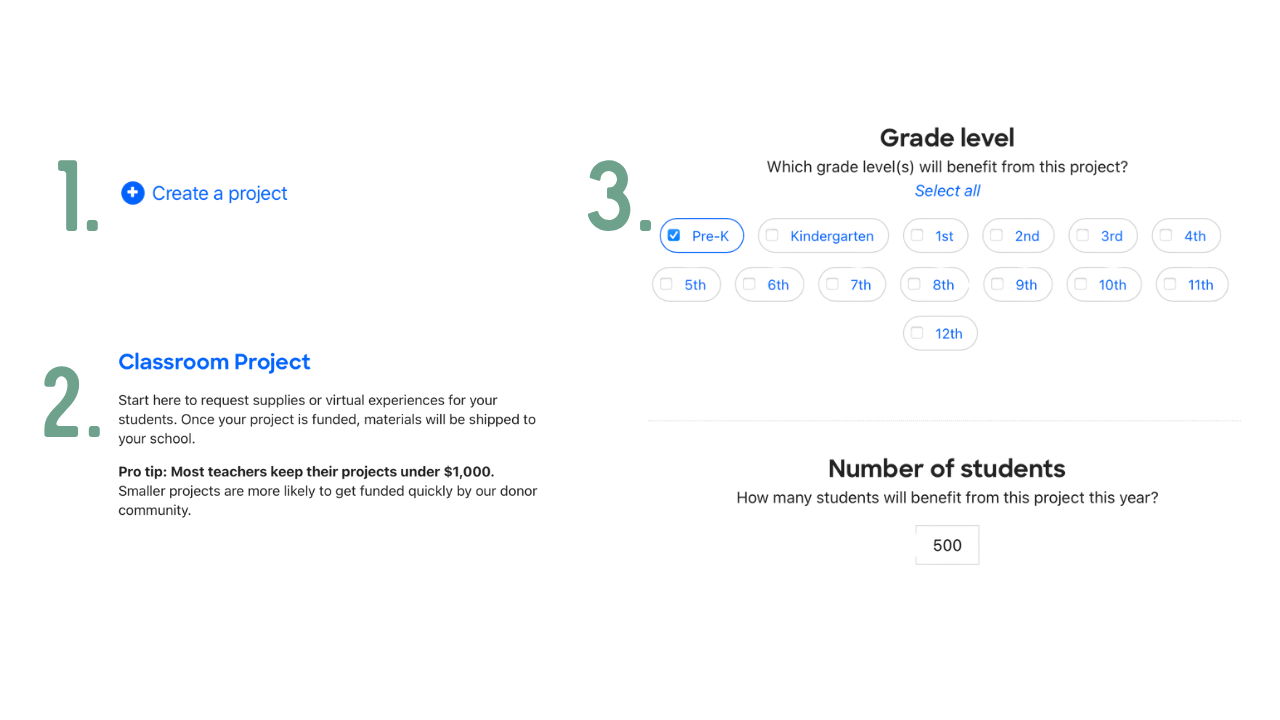
Step 1. If you have over 6 points, then select “Create a Project”.
Step 2. Select “Classroom Project”
Step 3. Select which grade level, subject, and # of students
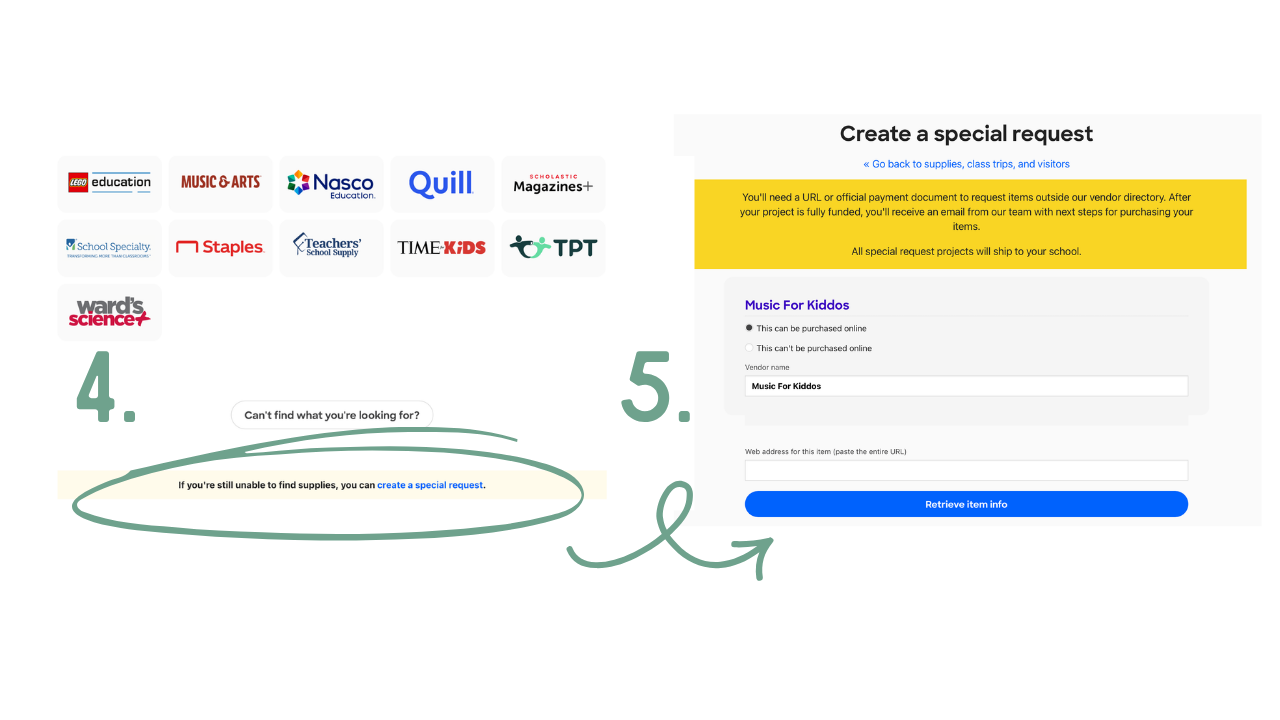
Step 4. Scroll all the way down past all of the vendors and select “Create a Special Request”
Step 5. In the special request section, write “Music For Kiddos” In the Vendor name.
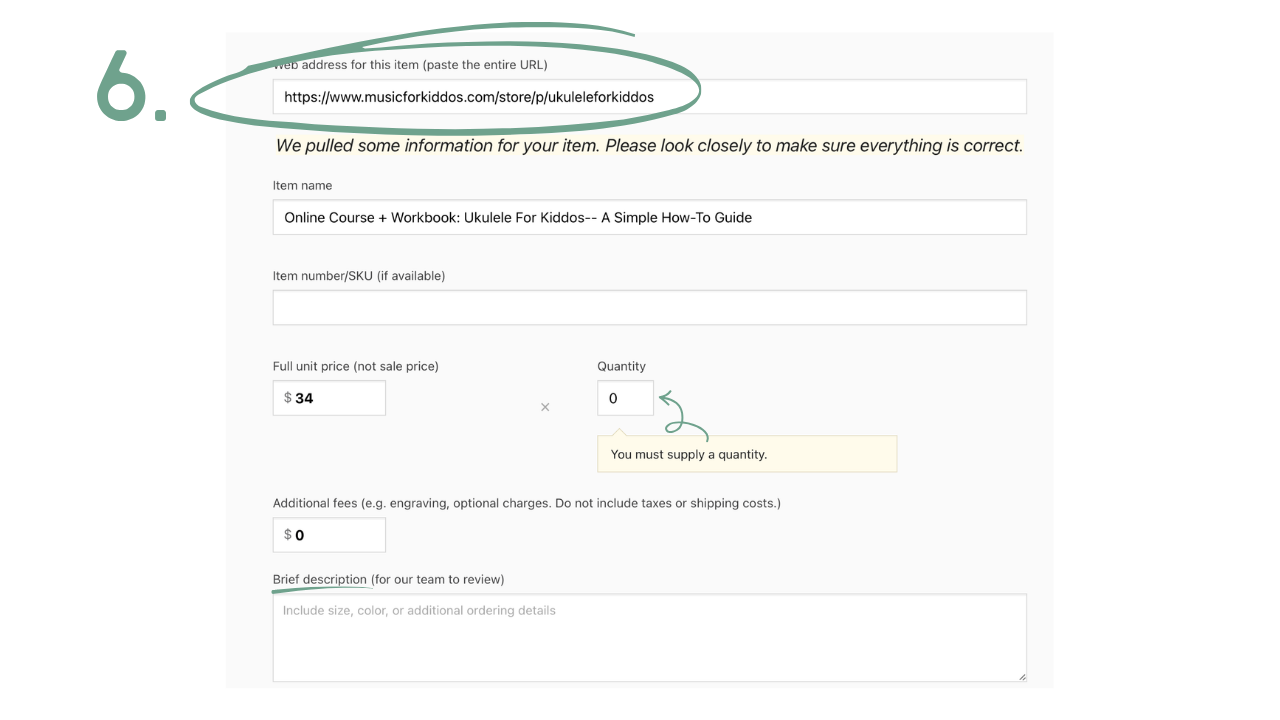
Step 6. Copy and paste the URL address to the product that you wish to add from our shop. Our shop can be found at https://www.musicforkiddos.com/store. Fill out the price, quantity, and description and then you are all set to start fundraising!
Good luck and happy fundraising!
